
CALLING APPS
Ringotel status colors: is a coworker on a call?
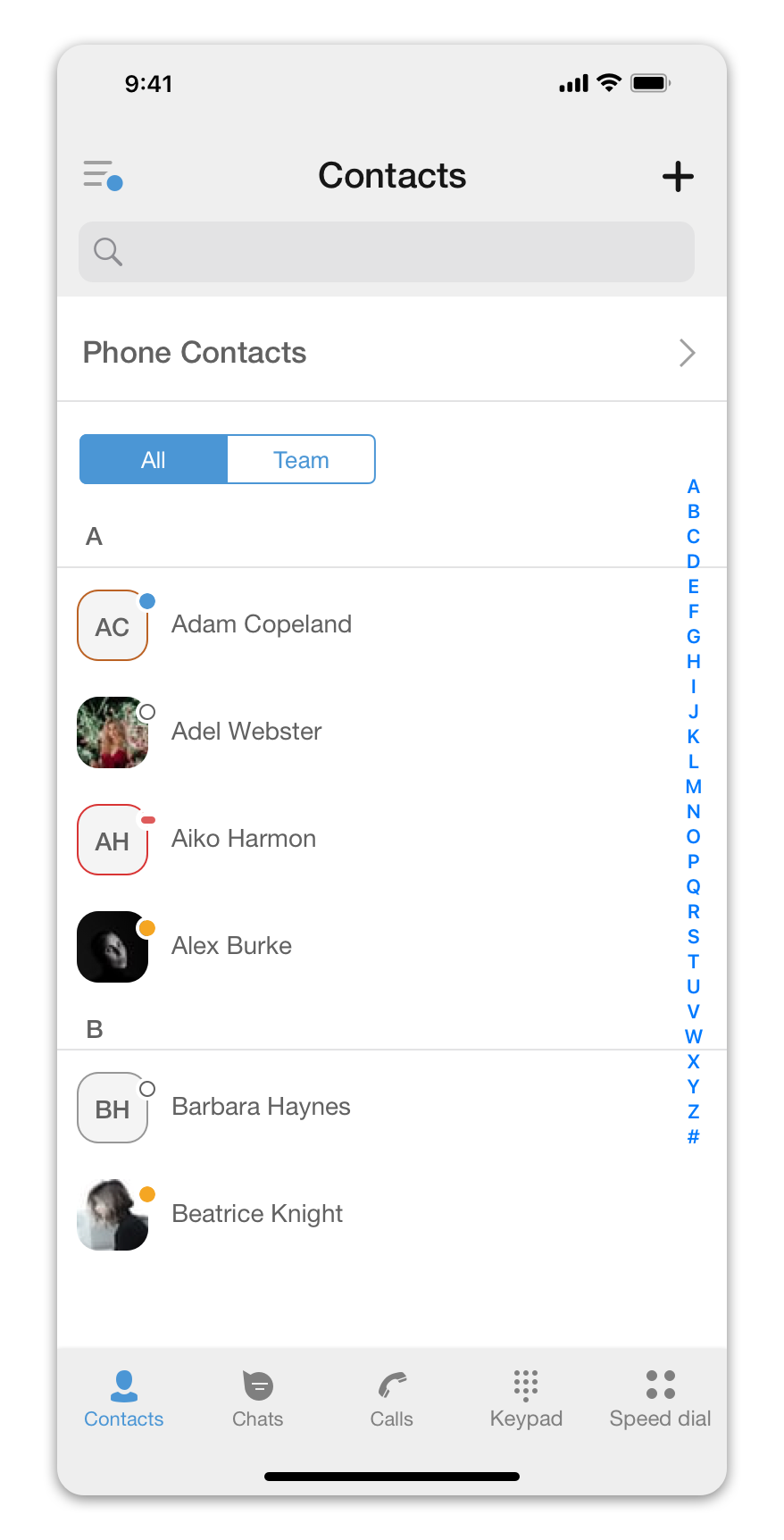
Look for the small indicator beside a coworker's name in Ringotel's Users list. The large circle containing their initials is their avatar, not their availability indicator.
Can I see whether someone is on the phone?
A red dash means Busy: the person is on a call or has Do Not Disturb (DND) enabled. The indicator alone does not tell you which. If you need to confirm, send the person a message before transferring a call.
Example: where to look
What do the status colors mean?
- Blue dot — Online: Connected through Ringotel or an associated endpoint and ready for calls.
- Yellow/orange dot — Available: The app has been idle for a while. The person can still make and receive calls.
- Red dash — Busy: On a call or using Do Not Disturb. Phone-system settings determine whether another call can come through.
- Light-blue dot — Available on PBX: Connected to the phone system outside the Ringotel registration. Availability depends on their phone-system settings and status.
- Hollow gray circle — Offline: Not connected through Ringotel or its associated endpoint. Calls may follow forwarding or voicemail rules.
Status not matching what you expect?
Ask your coworker whether DND is enabled. If the indicator still seems wrong, contact Junction support with the affected extension, the approximate time, and whether the call was on Ringotel or a desk phone.
Reference: Ringotel: User statuses in the app.