CALLING APPS
Audio Settings
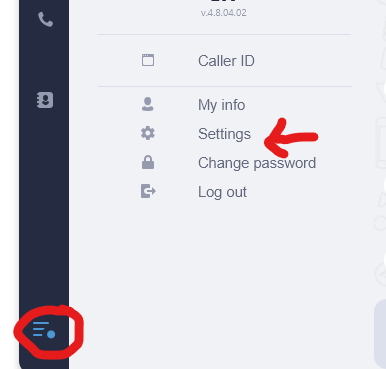
To access the audio settings, Menu Tab and select the Settings item from the list.
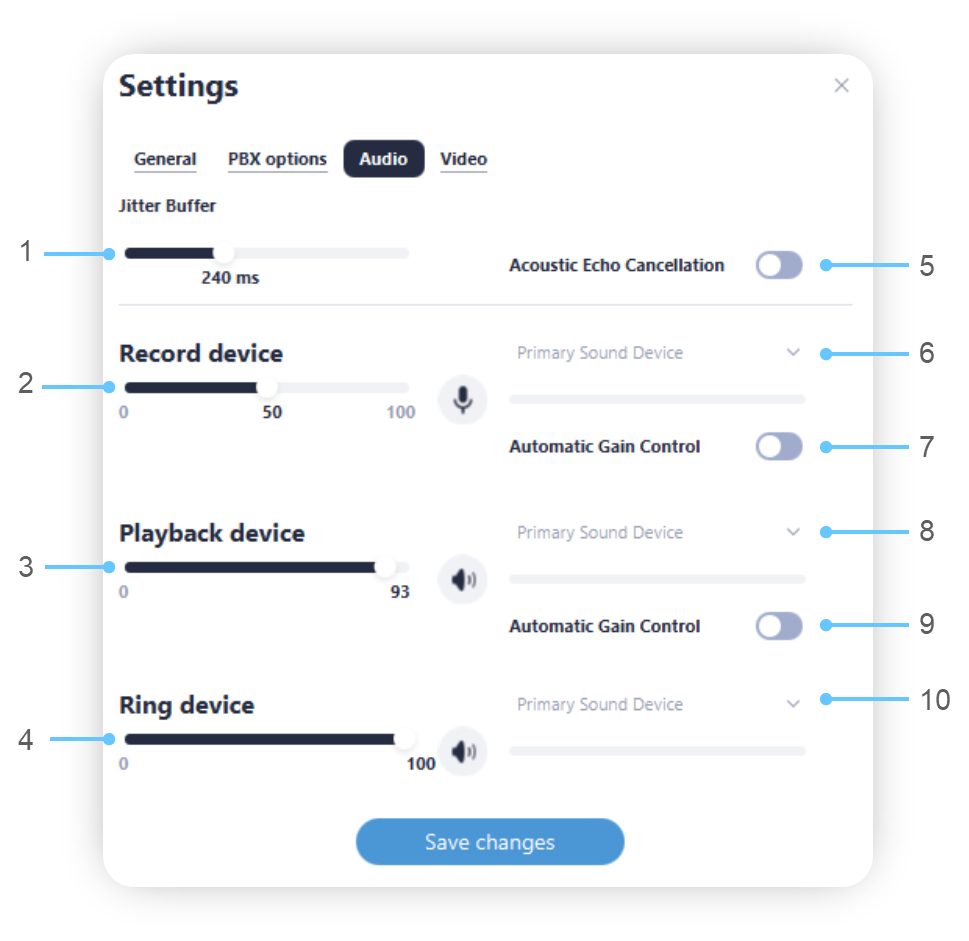
Jitter buffer length control (helps to improve call quality in the event of an unstable internet connection). We do not recommend that you adjust this setting without consulting with support.
Microphone level control bar. Next to it – Microphone testing button.
Playback device level control bar. Next to it – Playback sound testing button.
Ringtone level control bar. Next to it – ringtone sound testing button.
Turn Echo Cancellation on/off.
Record Device selection.
Automatic control of the microphone level.
Playback Device selection.
Automatic control of the playback level.
Ringtone playback device selection.