
CALLING APPS
Contacts & Outlook Integration (Bria Desktop)
Bria Enterprise provides the ability to add contacts, check if coworkers are on a call, and integrate with Microsoft Outlook (only available on Windows).
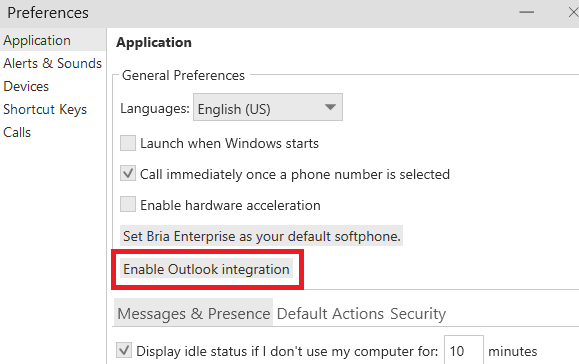
To integrate with Microsoft Outlook, click on Softphone → Preferences, then click Enable Contact Integration. Follow the prompts to install the Outlook plugin.
To manually add contacts, click Contacts → Add Contact
Enter the display name, first name, and last name as desired
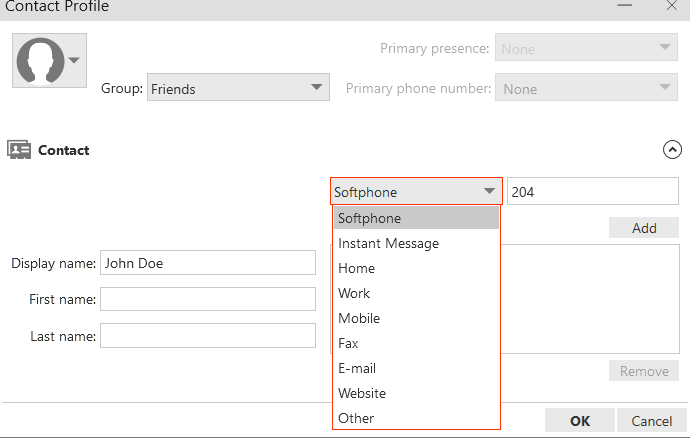
If you are entering an office extension number, select Softphone per the above screen shot. This will provide the ability to monitor if the extension is on an active call. Otherwise, select the appropriate value.
If your company utilizes the call park function, you can monitor the parking slots. Instead of entering a phone or extension number, enter: park+70x. “x” represents the parking slot. Example, park+701 represents Park 1; park+702 represents Park 2, etc.