
CALLING APPS
Contacts Integration
Importing Contacts
You may import contacts from a CSV file. The CSV file must be formatted using just one of the below two methods:
Method A (download sample)
name, mobile, phone, fax, organization, position, department, email, aboutMethod B (download sample)
firstname, lastname, mobile, phone, fax, organization, position, department, email, about
You do not need to fill in every column with data, but do make sure that each of the above columns exist.
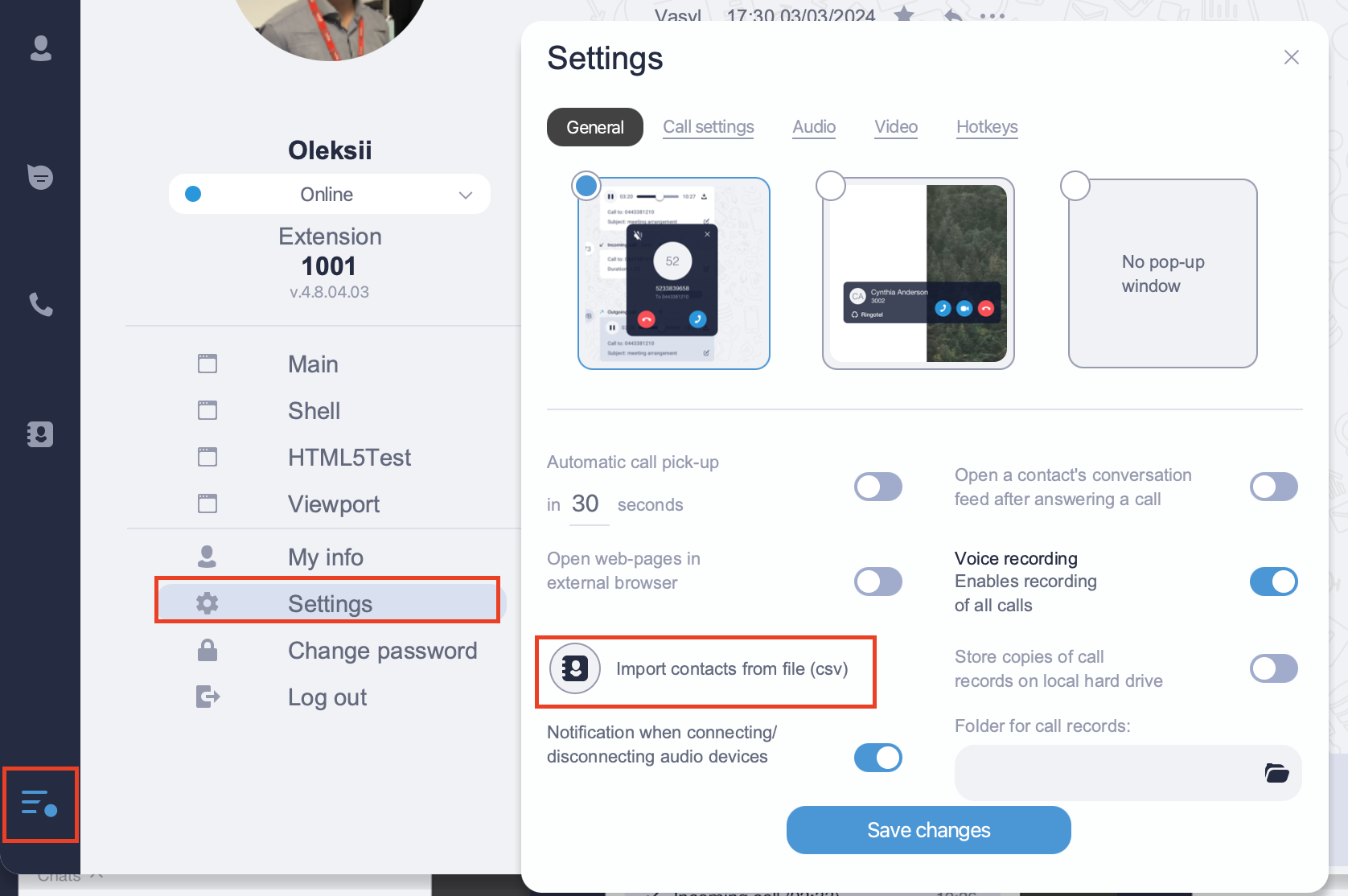
Once the CSV file is generated, navigate to Menu → Settings → General tab → Import contacts from file (csv). Select your CSV file. Allow a few minutes for the import procedure to process all data. The contacts should now appear in your Contacts page.
Ringotel can also integrate with Google contacts and Microsoft Office 365 contacts. Please contact partner support for setup.