
CALLING APPS
Transferring Calls (Bria Desktop)
During an active phone call, you have the ability to transfer a call to another phone number or extension.
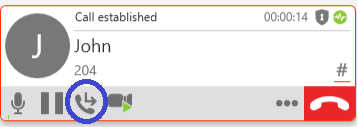
Press the button (circled in blue) indicating to transfer the call
You will be prompted to enter a phone number for the transfer. You may also press the arrow for a dropdown of recent calls and contacts.
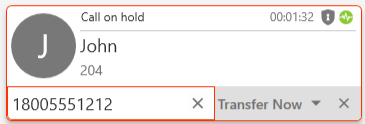
By pressing Transfer Now, the call will immediately be transfered. Alternatively, you can initiate an attended transfer.
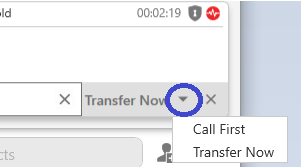
Click on the arrow (as indicated above), and press Call First.
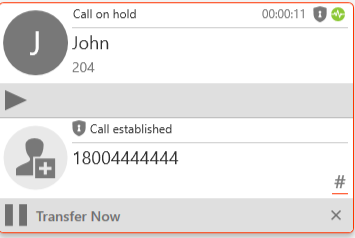
Once you are ready to complete the transfer, press Transfer Now. Otherwise, press the X on the right side