
PHONE GUIDES
Volume, mute and audio
Ringtone volume or call volume?
While the phone is idle: press the volume buttons to change how loudly it rings.
During a call: press the same buttons to change the handset, speaker or headset volume you are using.
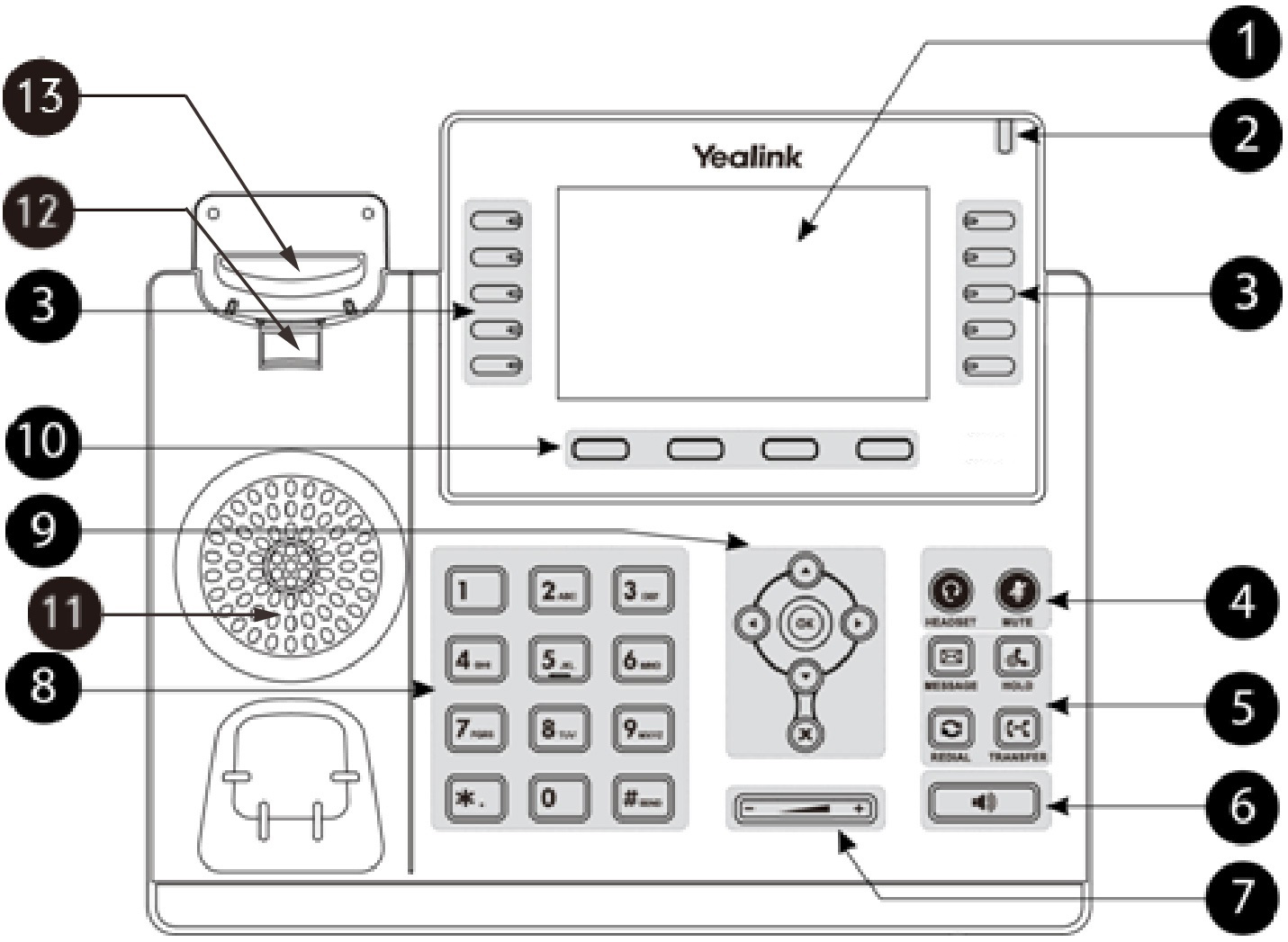
Mute your microphone
- Press Mute during a call. The mute light or on-screen indicator turns on.
- You can still hear the caller. Press Mute again when you want them to hear you.
Use speakerphone or a headset
Press Speaker to use hands-free audio, or Headset for a connected compatible headset. Start with a low volume and raise it as needed.
If a headset has its own mute button or volume control, check those too. A wireless headset may also need its own call button pressed.