PHONE GUIDES
Volume, mute and audio
Change the volume during a call
Use the volume buttons on the side of the handset while you are talking. This adjusts the audio you are currently using.

Change the ringtone volume
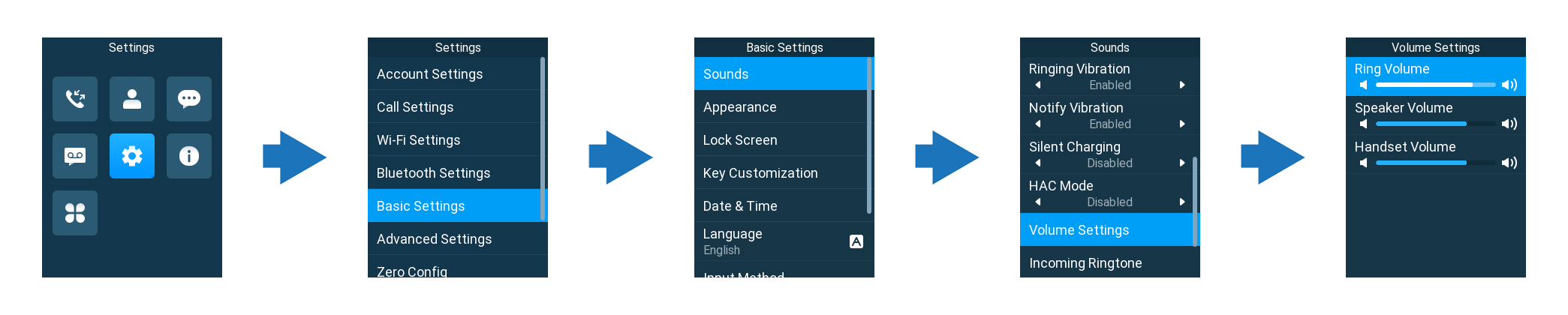
- Open Menu → Settings → Basic Settings → Sounds.
- Open Volume Settings if shown, then highlight Ring Volume.
- Use the left and right arrows to adjust it.
If the phone is silent
A long press of * toggles silent mode. If you see the silent icon, long-press * again to turn it off. Also check whether Silent Charging is enabled in Sounds if the phone is silent only in its cradle.
Mute your microphone
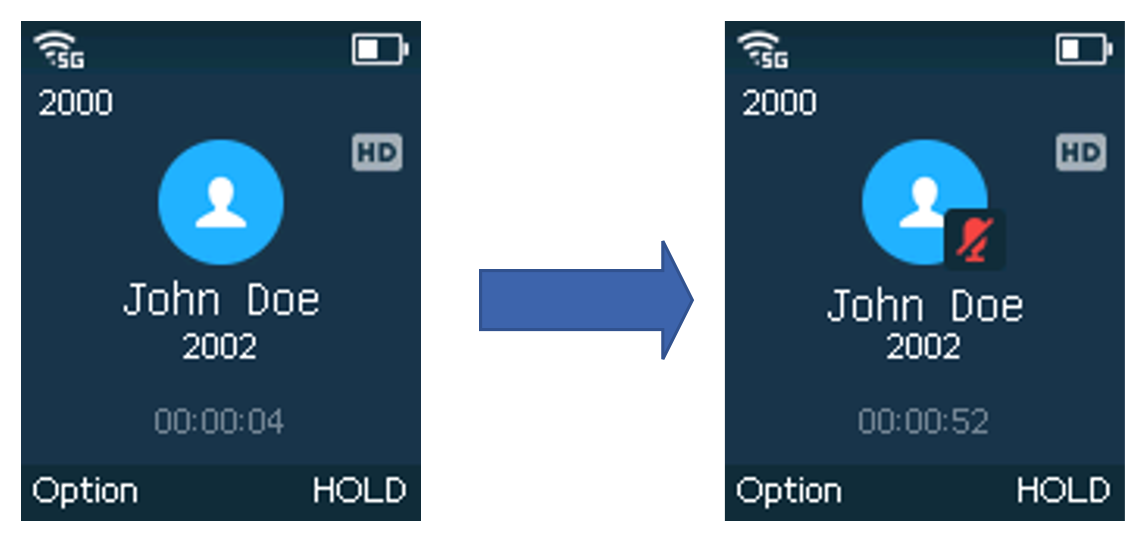
During a call, press the Mute key. You can hear the other person, but they cannot hear you. Press it again before speaking.