
PHONE GUIDES
Connect to WiFi
Connect your WP826 to the Wi-Fi network supplied by your company.
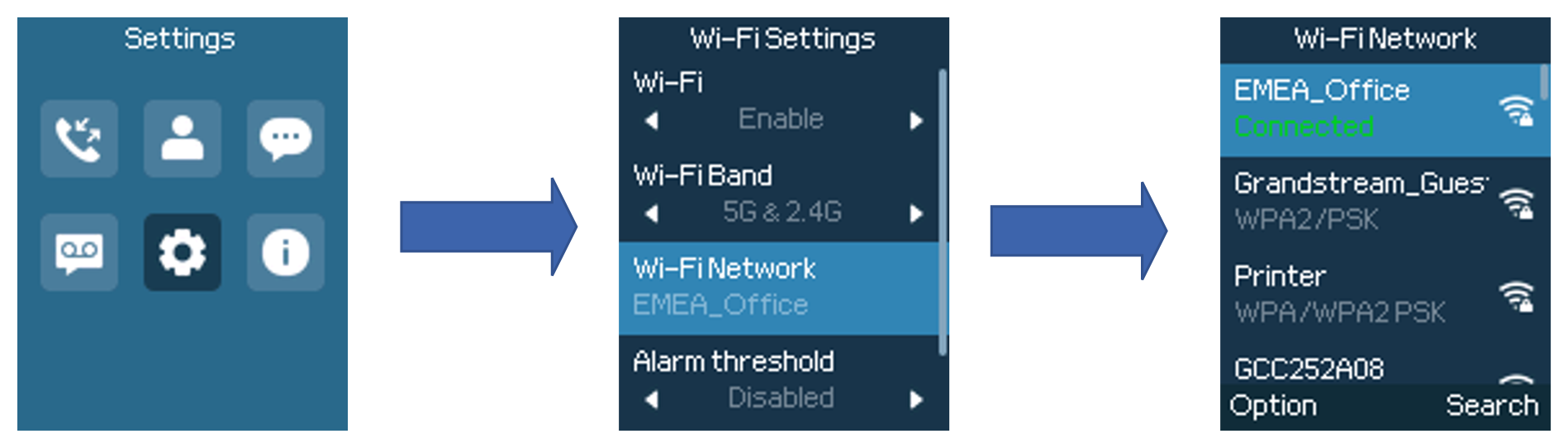
- Open Menu → Settings → Wi-Fi Settings.
- Make sure Wi-Fi is enabled and open Wi-Fi Network.
- Highlight the correct network and choose Connect.
- Enter its password. Use # to change between letters and numbers when entering text.
- Choose Connect, then wait for the network to show as connected.
The network is missing or will not connect
Move closer to an access point, check the network name and password with your phone administrator, and try again. Avoid guest networks that require a browser sign-in.