
PHONE GUIDES
Transferring Calls
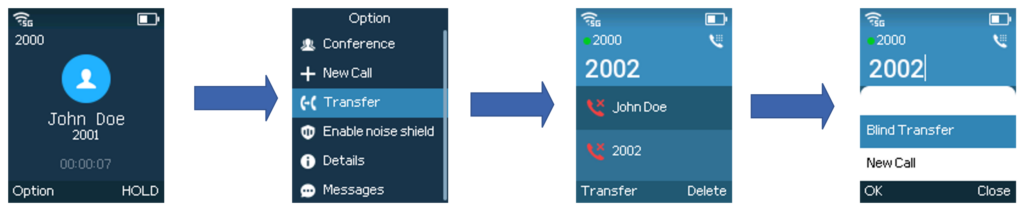
Send the caller directly
- During the call, choose Options → Transfer.
- Enter the extension or number, then choose Transfer.
- Select Blind Transfer and confirm with OK.
Speak to the person first
- During the call, choose Options → Transfer.
- Enter the destination and choose Transfer → New Call.
- Wait for the person to answer and introduce the caller.
- Choose Transfer to connect them.
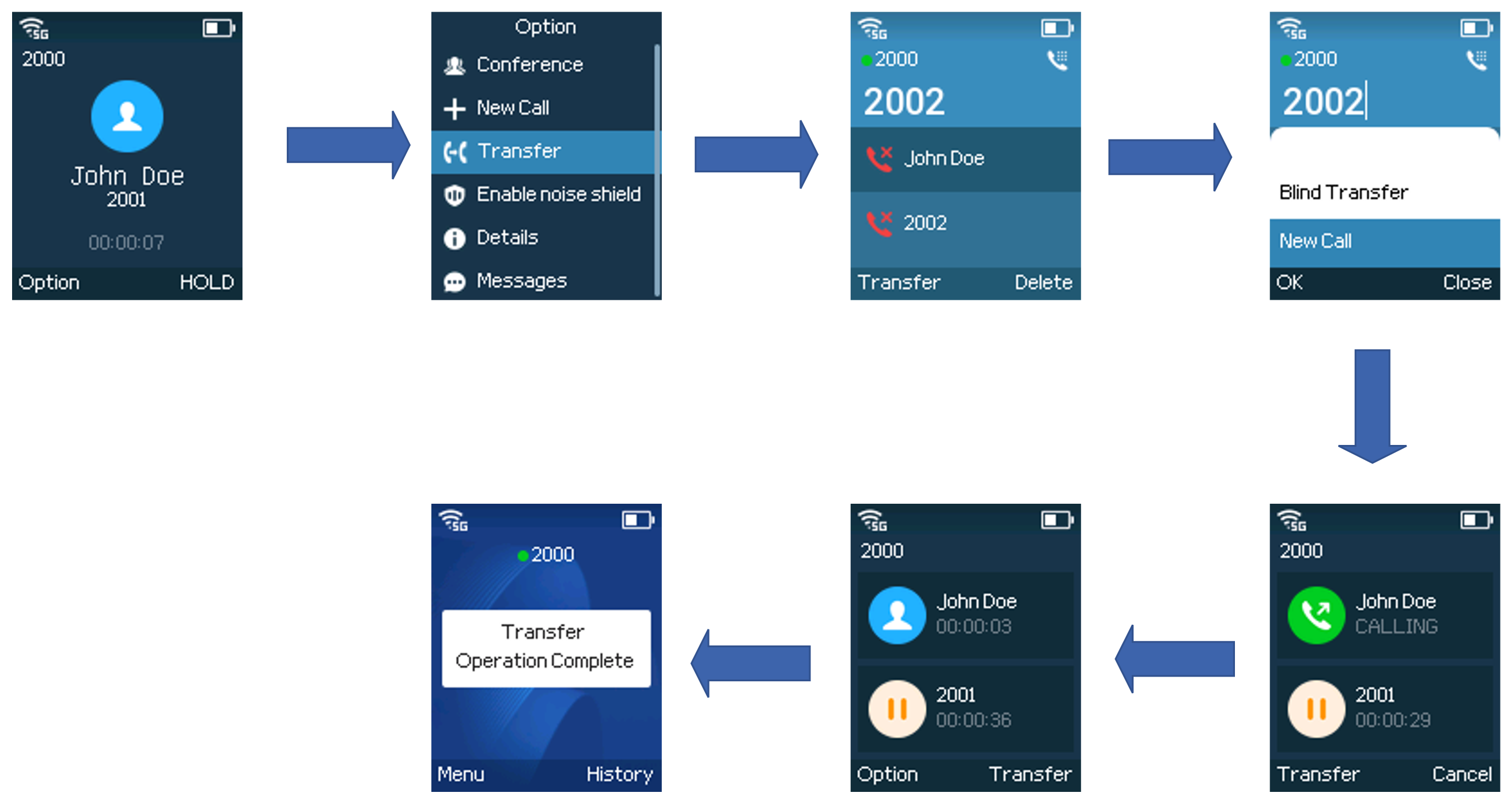
If they cannot take the call, cancel or end the consultation call and select the original caller to return to them.