
PHONE GUIDES
Bluetooth Functionality
Use a compatible Bluetooth headset to keep your hands free.
- Turn on the headset and put it in pairing mode using its own instructions.
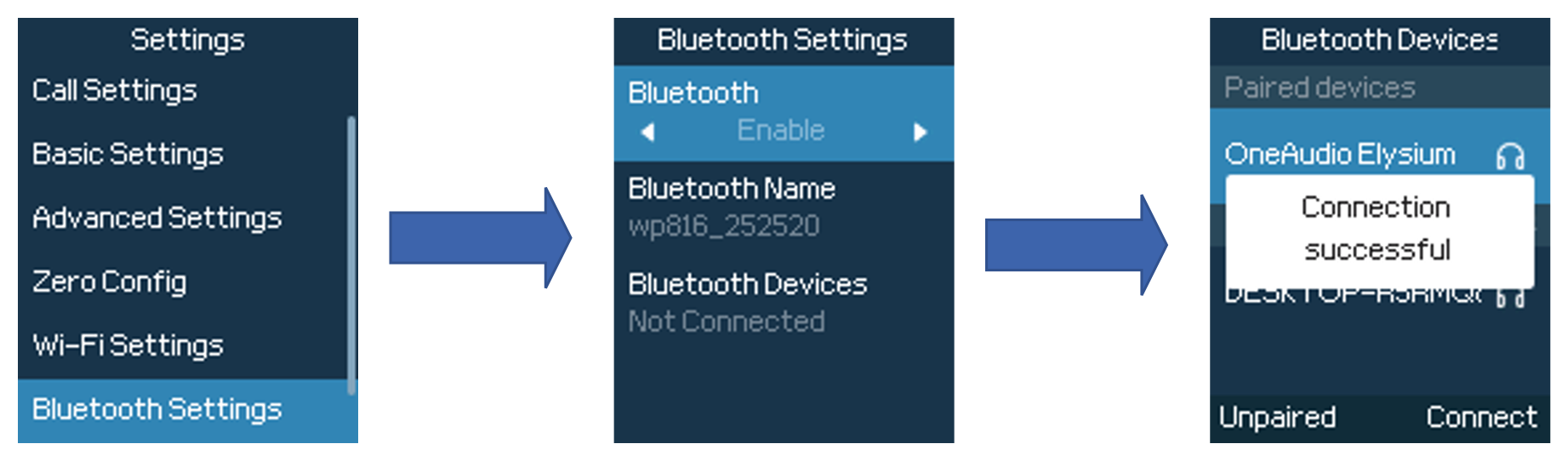
- Open Menu → Settings → Bluetooth Settings on the WP826.
- Enable Bluetooth and open the list of nearby Bluetooth devices.
- Choose your headset and select Connect. Confirm any pairing prompt.
- Make a test call to check that you can hear and be heard.
The headset is missing or has no sound
Charge the headset, keep it close to the handset and check that it is not already connected to another device. Check the headset’s own volume and mute controls.