PHONE GUIDES
Conference Calling
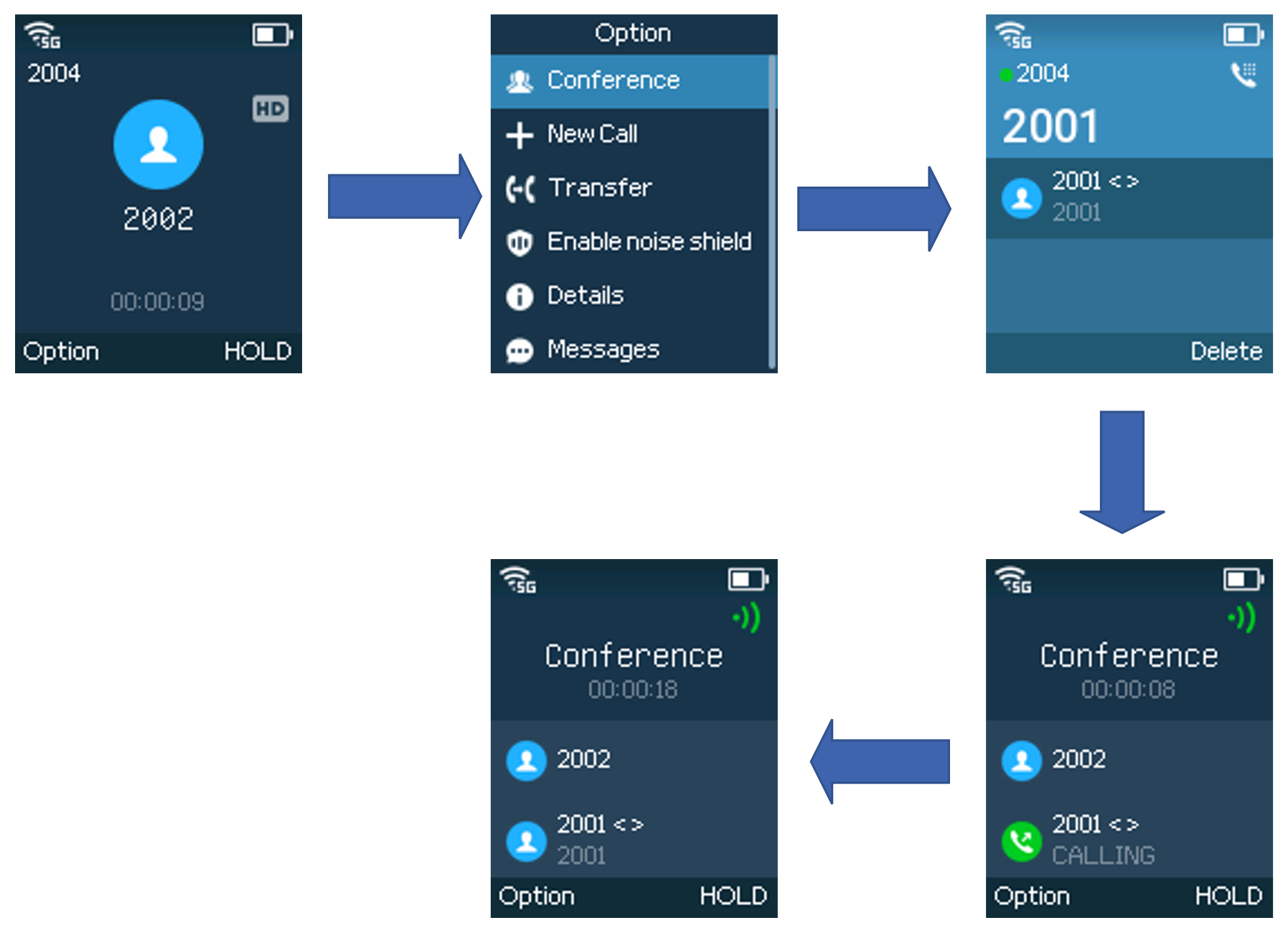
Add another person to your conversation. Available only if enabled for your service.
- During a call, choose Options → Conference.
- Enter the next person’s extension or number.
- Start the call using the Dial key. When they answer, they join the conference.
- Use the conference screen to see who is connected.