
ADMIN PORTAL
Conference Centers
Applications → Conference Centers
Conference Centers will allow you to modify conference bridges, which allow you to host a conference bridge with an unlimited amount of participants. There is an additional fee to utilize this service.

To adjust the settings of the conference bridge, click ROOMS on the top right
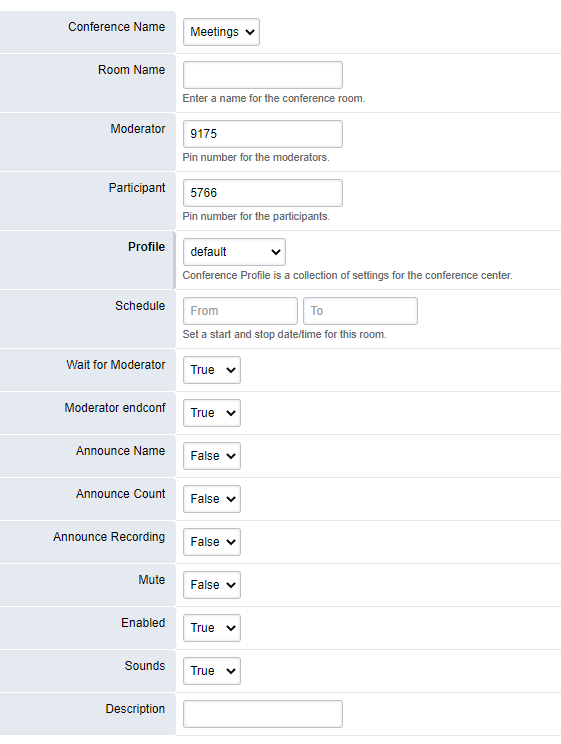
Moderator: PIN code for the conference host to activate the conference
Participant: PIN code to provide to participants of the conference bridge
Wait for Moderator: If set to true, anyone enters the participant PIN code, they will hear music on hold until the moderator joins.
Announce Name: Option to prompt participants for their name. Their name will be announced to all other participants upon joining the call.
To view active participants in a conference, press VIEW on the top right of the ROOMS page
To view a history of when the conference bridge was used, press SESSIONS on the top right of the ROOMS page