ADMIN PORTAL
Call Forward & Call Sequence
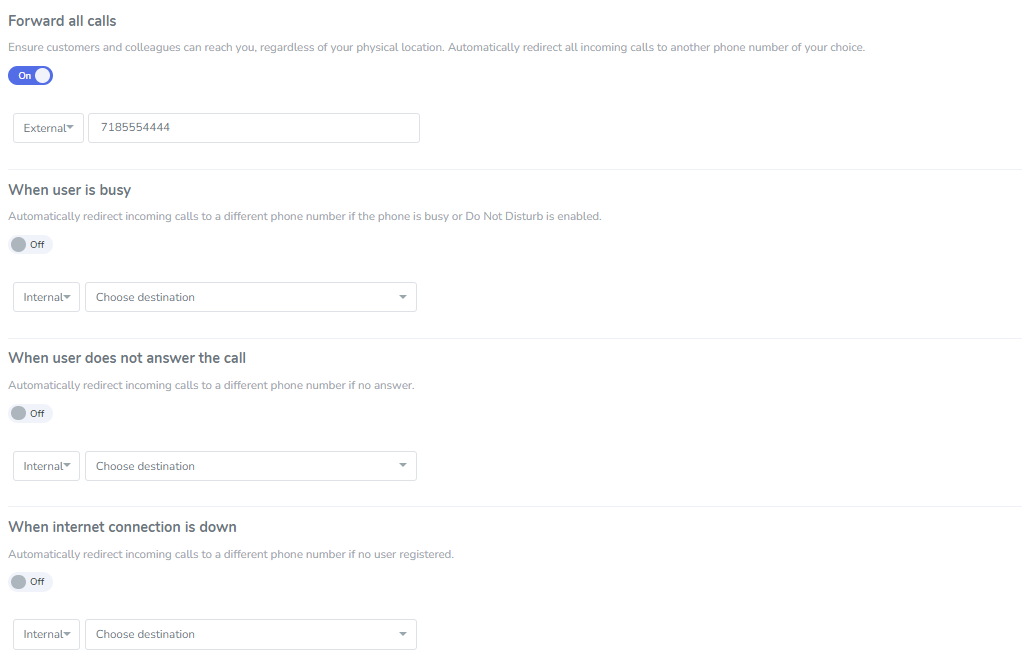
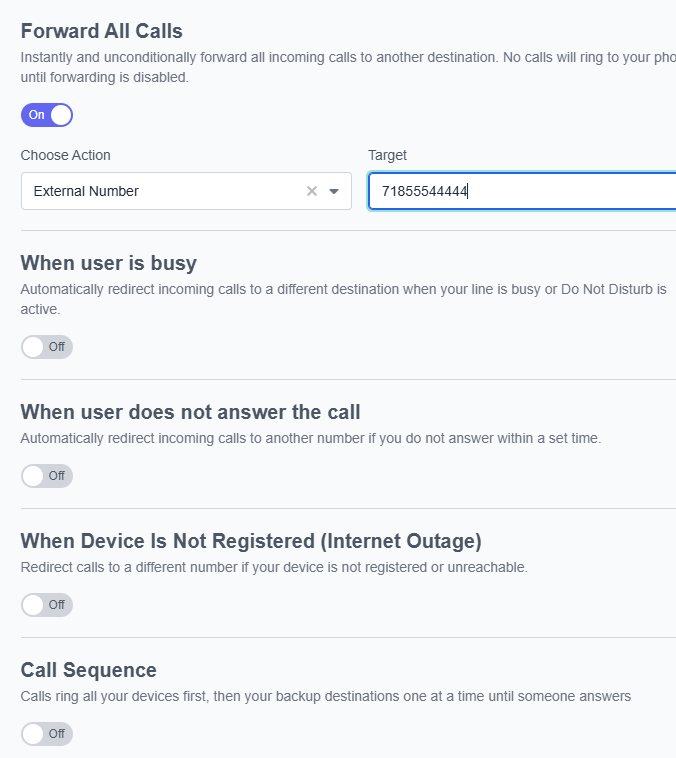
Call Forwarding & Follow Me settings are access through the Extensions page. Simply click on the extension, then press the Call Forward submenu.
Call Forwarding
Simply select the desired type of call forwarding, select the Internal/External dropdown, and enter the destination telephone number.
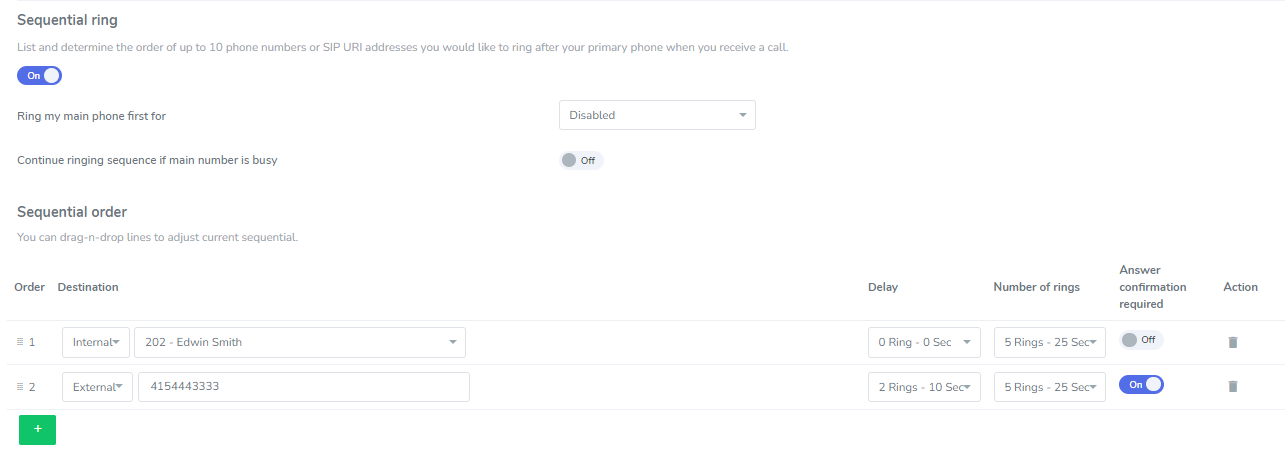
Call Sequence (Follow Me)
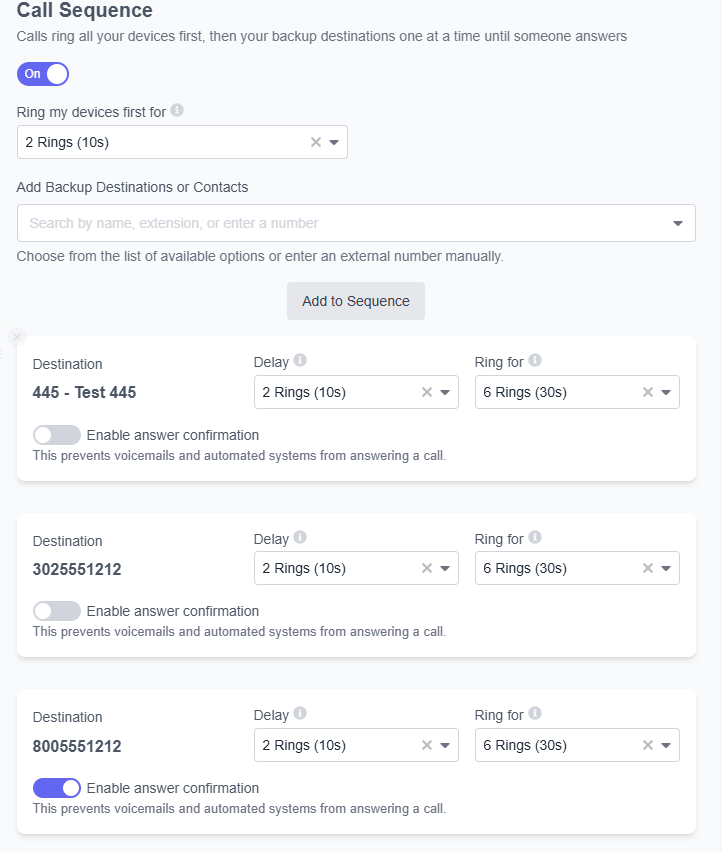
Set the desired amount of rings to ring your main phone first, before ringing any other destination.
Add Backup Destinations or Contacts: Enter each extension or outside phone number individually. Once all entries are present, press Add to Sequence.
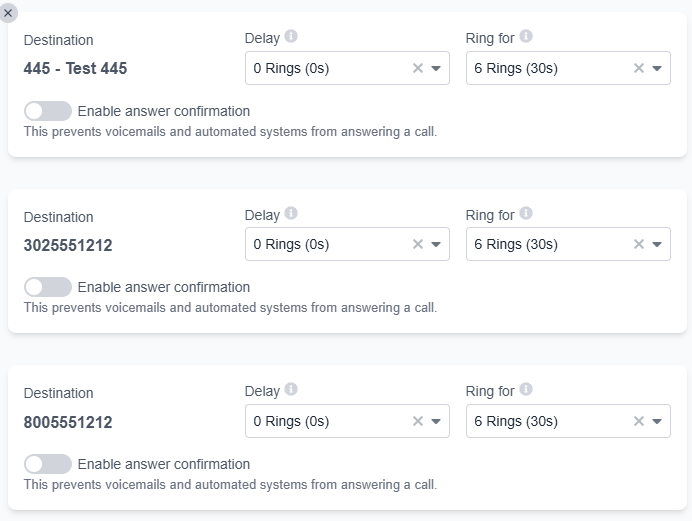
In the below example, calls will simultaneously ring the user’s extension (not displayed in the grid), 445, 302-555-1212, and 800-555-1212
All phone numbers display a delay of 2 rings. This means that the system will wait 2 rings (10 seconds) before trying to reach the numbers listed in the grid.
800-555-1212 also shows an “Enable Answer Confirmation” prompt. This means that when the user answers the call, they will be asked to press 1 to confirm the call. This ensures that outside callers will never be directed to this user’s personal voicemail.